

Touch Screen Presentation Software for Exhibition Stands
ExpoScreen is a no-code builder for interactive presentations on touch screens, kiosks and panels. Build a presentation for your booth in about an hour — it runs fully offline and can be controlled by touch, from a tablet, or with a clicker.
Free to build and preview — pay only when your presentation is ready for the event.
Try it freeWhy teams pick ExpoScreen for touch screens
Ready in about an hour
Upload videos, slides and catalogs, arrange them into sections in a visual editor — no developers or designers needed.
Runs fully offline
Exhibition Wi-Fi is unreliable. Your presentation installs on the device and works with no internet connection at all.
Tablet remote control
Switch slides on the big screen right from a phone or tablet while walking around the booth — a feature you won't find in other touch screen software.
Touch, clicker or both
Visitors browse the catalog on the touch screen by themselves; for live talks, use a regular clicker presenter.
Any Windows or macOS device
Touch panels, kiosks, touch tables, video walls or ordinary TVs — if it runs Windows or macOS, it runs ExpoScreen.
Pay per project, not per month
No subscriptions. Build and preview for free, then pay once for the finished project — $79 Lite, $199 Standard or $499 Pro — a fraction of what agency-built presentations cost.
How it works
Sign up free
Building and previewing your project costs nothing.
Upload your media
Videos, slides, catalogs and photos — all in one library.
Arrange the sections
Covers, menus and screen order in a visual editor.
Download and launch
Get a ready-to-install app for your kiosk or PC. One-click launch.
Where it is used
Trade show booth
An interactive product catalog on a touch panel or video wall that works offline at the venue.
Showroom
Visitors explore your product line on a touch table on their own while your team talks to clients.
Sales office
Company and case-study presentations on the meeting room screen, controlled from a manager's tablet.
Museum or exposition
Interactive kiosks with exhibits, maps and videos — without specialized custom software.
Built for the screens you actually use
Touchscreen trade show app
The classic case: a product catalog with videos, slides and brochures on a touch panel at the booth. Visitors browse on their own, your team switches the big screen from a tablet during a pitch. Everything is installed before the show, so venue Wi-Fi does not matter.
Lobby and reception touch screen
A self-running presentation for the office lobby or a showroom entrance: company overview, products, cases and contacts. Set an idle screensaver with your video, and the kiosk returns to it when nobody is touching the screen.
Museum and exhibition kiosks
Sections for exhibits, maps and video guides in a nested menu. A curator updates the content in the browser and rebuilds the app — no agency and no custom software on every change.
Sales meetings and events
The same presentation on a meeting room TV or a conference stage, controlled with a clicker or a phone. One project, many screens: there is no per-device license.
ExpoScreen vs Intuiface vs FlowVella
| ExpoScreen | Intuiface | FlowVella | |
|---|---|---|---|
| What you pay | From $79 once per project; free to build | Subscription, prices after registration | From $20/month for kiosk mode |
| Runs offline | Yes, installed app | Yes, with Player | After download on iPad |
| Devices | Windows, macOS kiosks, tables, video walls | Windows, macOS, Android, iOS | Apple only |
| Tablet remote control | Built in, plus clicker mode | Via IntuiPad (Player Classic only) | No |
| Time to first presentation | About an hour | Days to weeks | An hour |
| Best for | Booths, showrooms, lobbies | Complex custom apps | Simple iPad kiosks |
Full comparison with prices: 7 Intuiface alternatives →
Case studies
Real projects our clients run at exhibitions and showrooms
AIM Dubai — investment catalog of the Republic of Tatarstan
A catalog of investment project presentations in Touch mode: visitors explore the economic, tourism and investment potential of the republic right on the touch table.
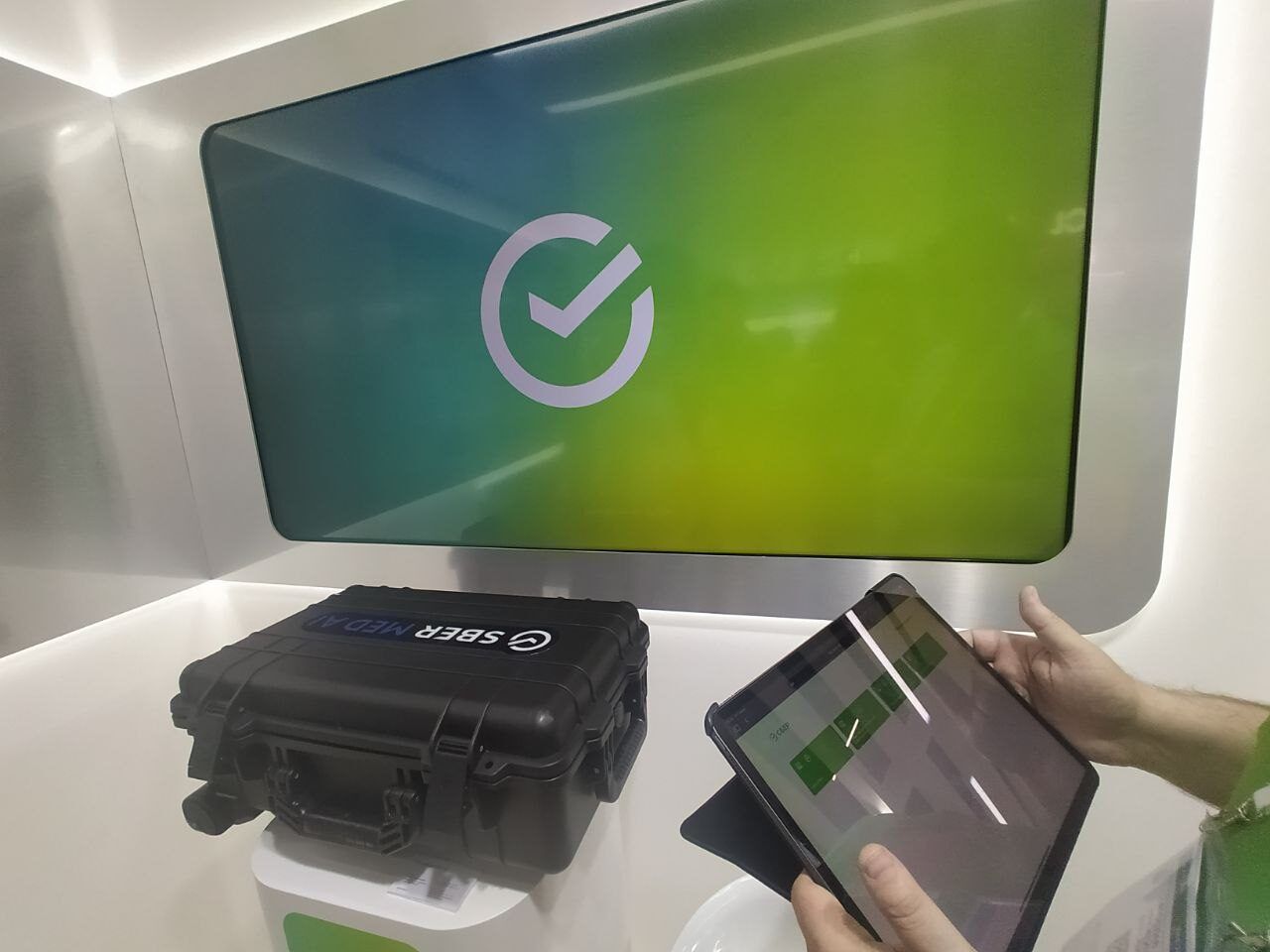
CIPR exhibition — Sberbank stand
Remote mode with an iPad, a laptop and a TV: the iPad works as a remote control for all the content and sends the right presentations and videos to the TV screen.
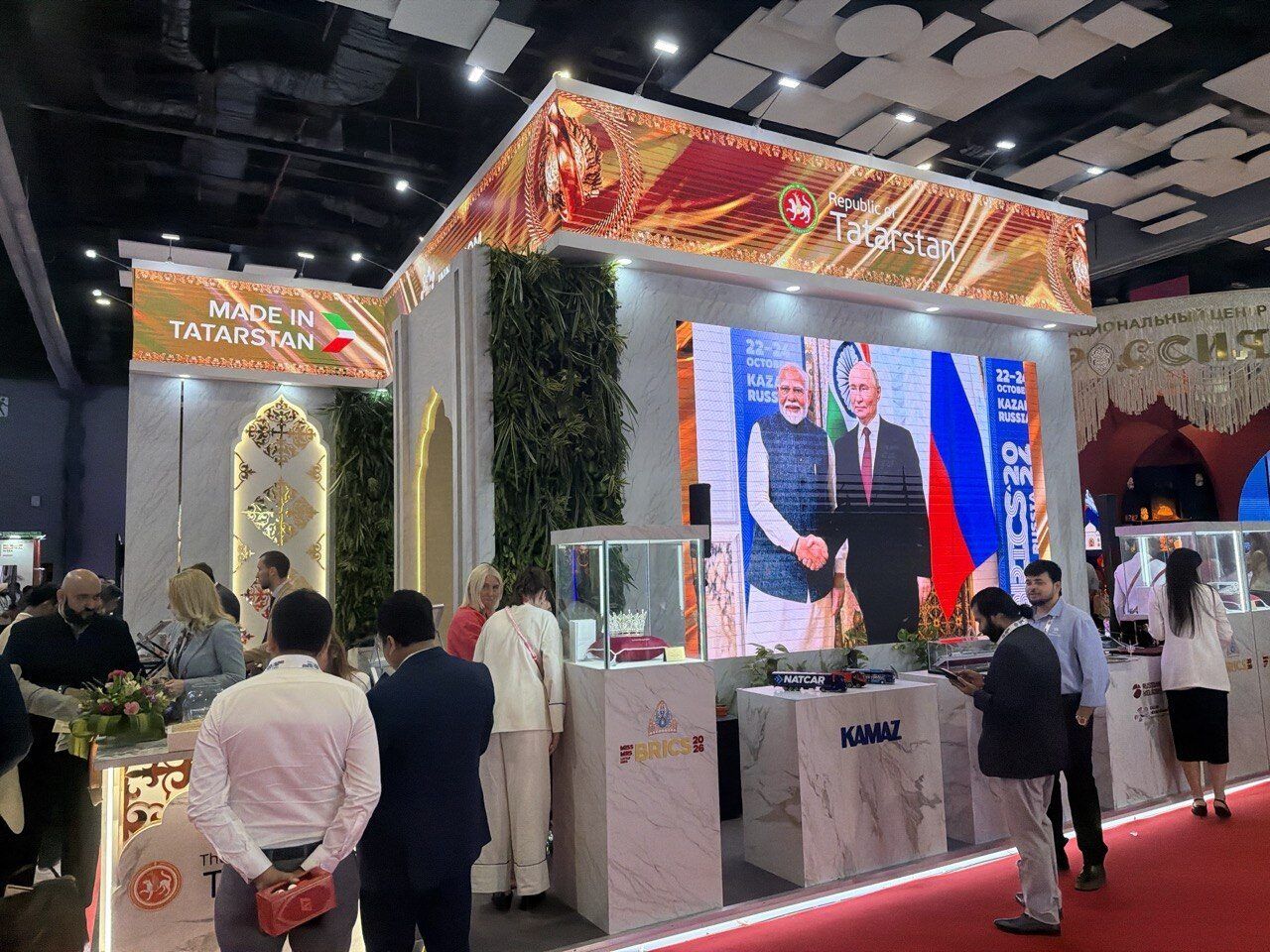
BRICS forum — LED screen of the Republic of Tatarstan
A program for a large LED screen: presentations, videos and static images are switched with a Logitech R400 / R800 presenter. While the stand was idle, screen saver mode played a queue of videos and presentations for visitors.
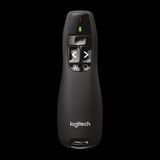 Controlled with a Logitech R400 / R800 presenter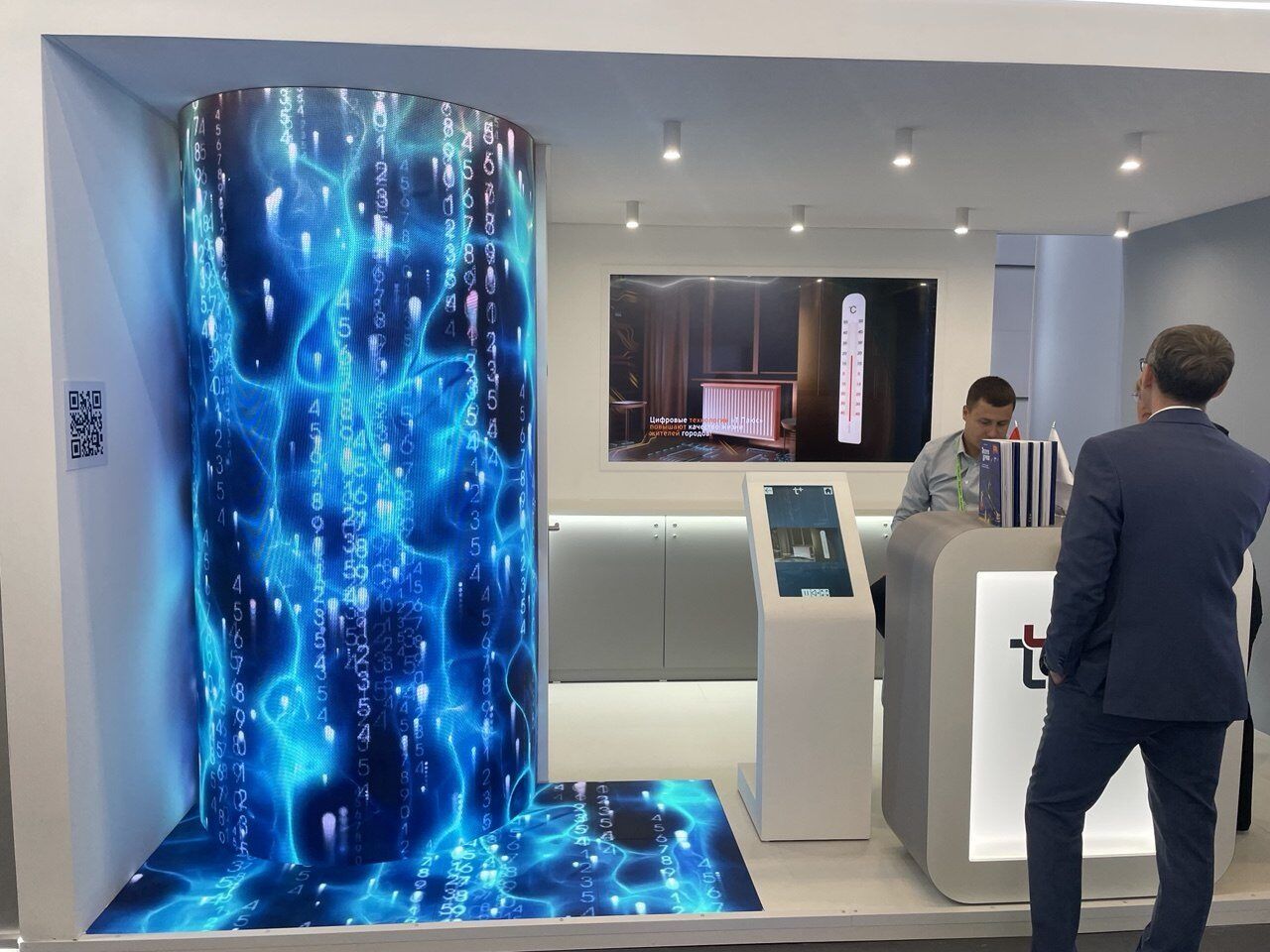
CIPR exhibition — T Plus stand
The client built a catalog of its own solutions in Remote mode, linking a touch screen and an LED screen into one synchronized setup. When nobody touched the screen, screen saver mode looped the company's brand videos on the LED screen.
Touch screen presentations: common questions
Can I show a PowerPoint or PDF on a touch screen with ExpoScreen?
Yes. Upload a PPTX or PDF and it is converted into slides you swipe through on the touch screen, alongside videos and photos. You do not need PowerPoint installed on the kiosk.
Does the presentation work without internet?
Yes. The finished presentation is an app for Windows or macOS that runs fully offline. Internet is only needed once, to download the project or to fetch content updates.
What hardware do I need?
Any Windows or macOS device with a touch screen: a kiosk, a touch panel, a touch table, an all-in-one PC. A regular TV or video wall also works — visitors will not touch it, but you control the presentation from a phone, a tablet or a clicker.
How much does touch screen presentation software cost?
ExpoScreen is free to build and preview. When the presentation is ready, you pay once per project: $79 Lite (touch mode, one platform), $199 Standard (all modes, Windows and macOS, unlimited updates) or $499 Pro for agencies (5 projects a year). No subscription and no per-device fees.
Can visitors get lost in the presentation?
No. Menus are nested and every screen has a way back; after a period of inactivity the app returns to the start screen or the screensaver, ready for the next visitor.
How do I update the content before the next show?
Change the media or menu in the browser editor and download the app again, or push an update straight to the installed presentation. Updates are free after purchase.
Pricing
One price per project. Install the finished app on any number of screens.
Try it for free and pay only if you like the result
Lite
One screen, one event
per project, one-time
Start free- Touch mode
- Windows or macOS — one platform
- Media library up to 2 GB
- Content updates for 30 days after payment
- AI design: 1 theme generation, 1 image run
- "Made with ExpoScreen" badge on the idle screen
One-time payment — the app works forever.
Standard
Most chosenA stand with several screens
Launch discount 30% until October 31
Start free- Touch, remote and clicker modes
- Windows and macOS
- Media library up to 5 GB
- Unlimited content updates
- Screen saver and cloud import
- AI design: 5 theme generations, 3 image runs
- Install on any number of devices
One-time payment — the app works forever.
Pro
Agencies and regular exhibitors
per project, one-time
Start free- Everything in Standard
- 5 projects (brands) per year, then $79 each
- Media library up to 20 GB
- Project templates
- AI design: 20 theme generations, 10 image runs
- Priority conversion and builds
- Telegram chat support
One project = one exhibitor. Pro covers five.
Building and previewing is free on every plan; up to 1 GB of media for unpaid projects. Pay when the presentation is ready for the event. Upgrading later costs the difference.
Related pages
Get your booth ready for the next show
Sign up, build a presentation from your own materials and see it on a touch screen — for free.
Start free