

An Easy Solution for Showcasing Your Products
Gather all your presentations and media in one place!
Try it for free and pay only if you like the result
Touch-screen
You can deploy it on any touch screen.
Remote control
Control the screen using a tablet or touch screen.
Clicker presenter
Convenient control with a presenter.
The presentation runs as an offline app for Windows or macOS. A phone or tablet works as a remote, not as the screen.
New · Menu themes
Menu themes that bring your stand to life
Nine animated designs for the touch menu: a living menu, a start screen that invites visitors to touch and a transition into every section. Switch with one click — your content stays as it is.
Hover over or tap a theme to see its start screen.
A living menu and start screen
A 3D ring in space, a comic page, a shelf of VHS tapes: every theme brings its own menu, background and start screen that invites visitors to touch.
Your accent and texts in any language
Pick the accent color and rewrite any label. The AI translates every label of the theme into any language in one click.
Runs offline on the stand
The theme is built into the app: no internet and nothing extra to install. Your logo, navigation buttons, item covers and screen saver stay yours.
AI design · Figma
Describe the style — get a designed stand
No designer needed for the start screen: the AI proposes themes and draws pictures for your menu. Buttons stay real buttons — the touch app, remote and offline build keep working.
1. Describe the brand and mood
A couple of sentences: colors, character, audience. Or just paste the logo — the AI reads the palette from it.
2. Pick one of three themes
Card style, colors, font and typography for your menu. Apply with one click, fine-tune anything afterwards.
3. Get a background and button covers
Images in one consistent style for the start screen and every menu item. Captions stay editable.
Or take the style from Figma
Paste a link to your Figma mock-up — colors, fonts, button shapes, the background and image buttons are carried over into the theme. You compare it with the mock-up and apply it with one click.
Premium dark style with gold accents for a jewellery brand
Midnight gold glass
Neon outline
Ivory minimal
Three variants in about 15 seconds; then background and covers for every menu item.
Interactive Presentation Software for Touch Screens
ExpoScreen is a no-code platform for building interactive product presentations on touch screens, kiosks, and panels at exhibition stands, trade shows, and showrooms.
Launch in one hour, no technical skills required
Intuitive editor lets you build a trade show presentation without developers.
Offline mode at the venue
Works without internet — perfect for exhibitions, conferences, and showrooms.
Works on any touch display
Compatible with panels, kiosks, tablets, and interactive walls of any size.
One app — any number of screens, no per-device fees
Pay once per project and install the finished app on every screen at the stand.
Update content in 15 minutes
Change stand materials remotely without visiting the venue.
Multi-language support for exhibitions
Present in multiple languages for international trade shows and exhibitions.
Examples of successful presentations
How our clients effectively use our platform to create exhibition displays
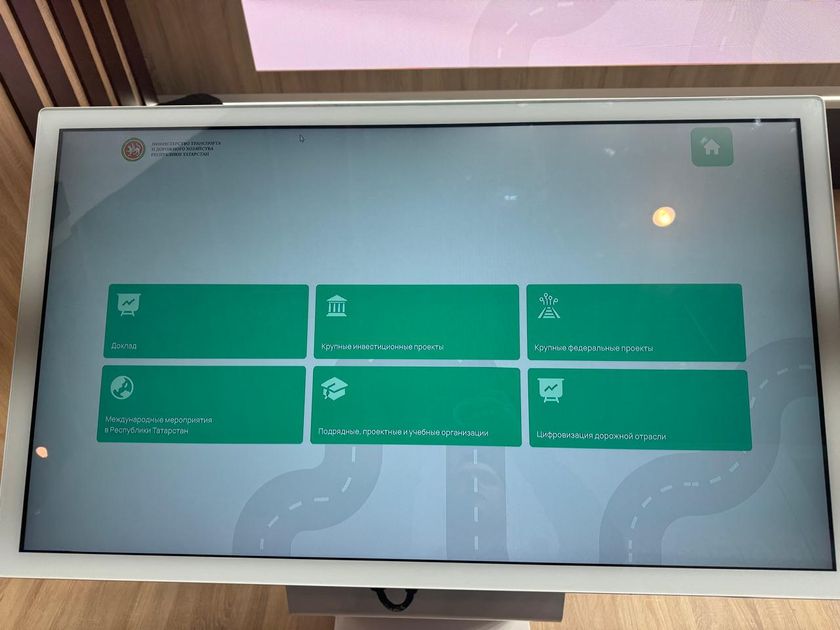 Touch table with a section menu at an exhibition stand
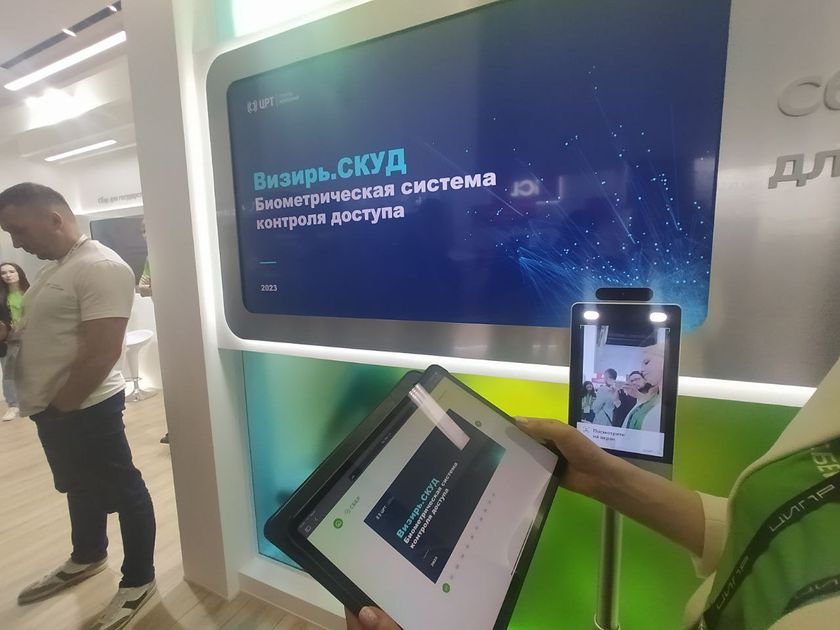 Remote mode: a tablet controls the stand screen
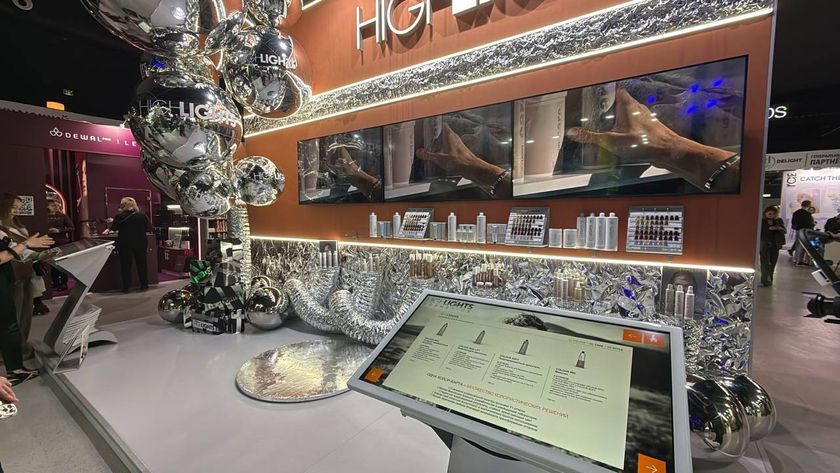 Highlights Cosmetics stand: touch table with a product catalog
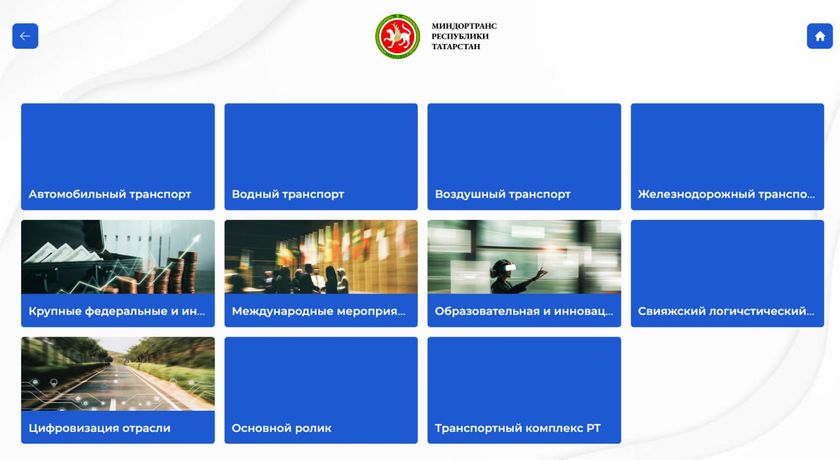 Ministry of Transport of Tatarstan: touch catalog of industries
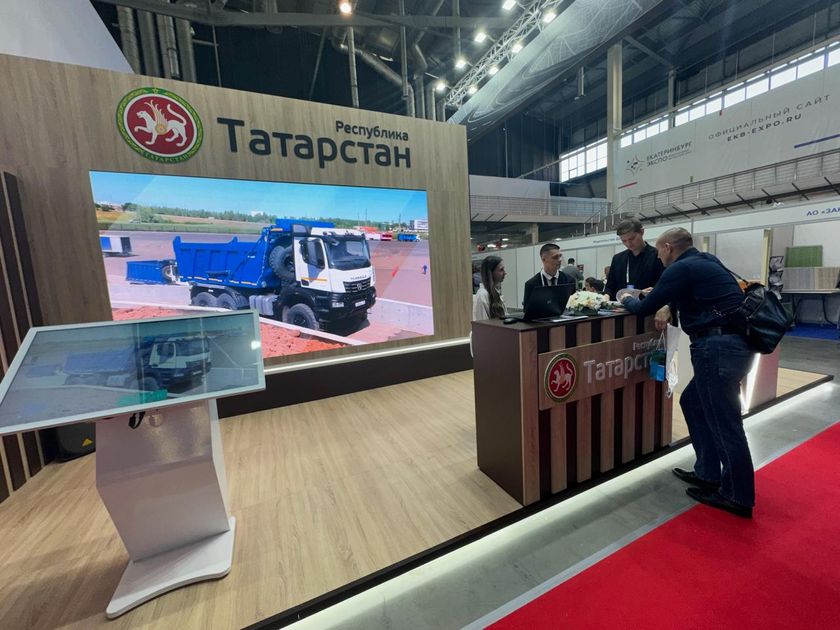 Tatarstan stand: touch kiosk and a large screen
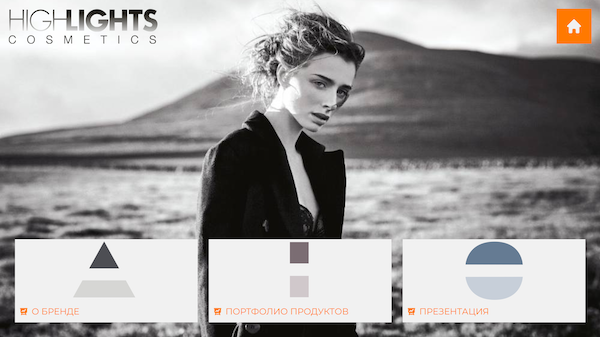 Brand presentation screen: about, portfolio, presentation
Case studies
Real projects our clients run at exhibitions and showrooms
AIM Dubai — investment catalog of the Republic of Tatarstan
A catalog of investment project presentations in Touch mode: visitors explore the economic, tourism and investment potential of the republic right on the touch table.
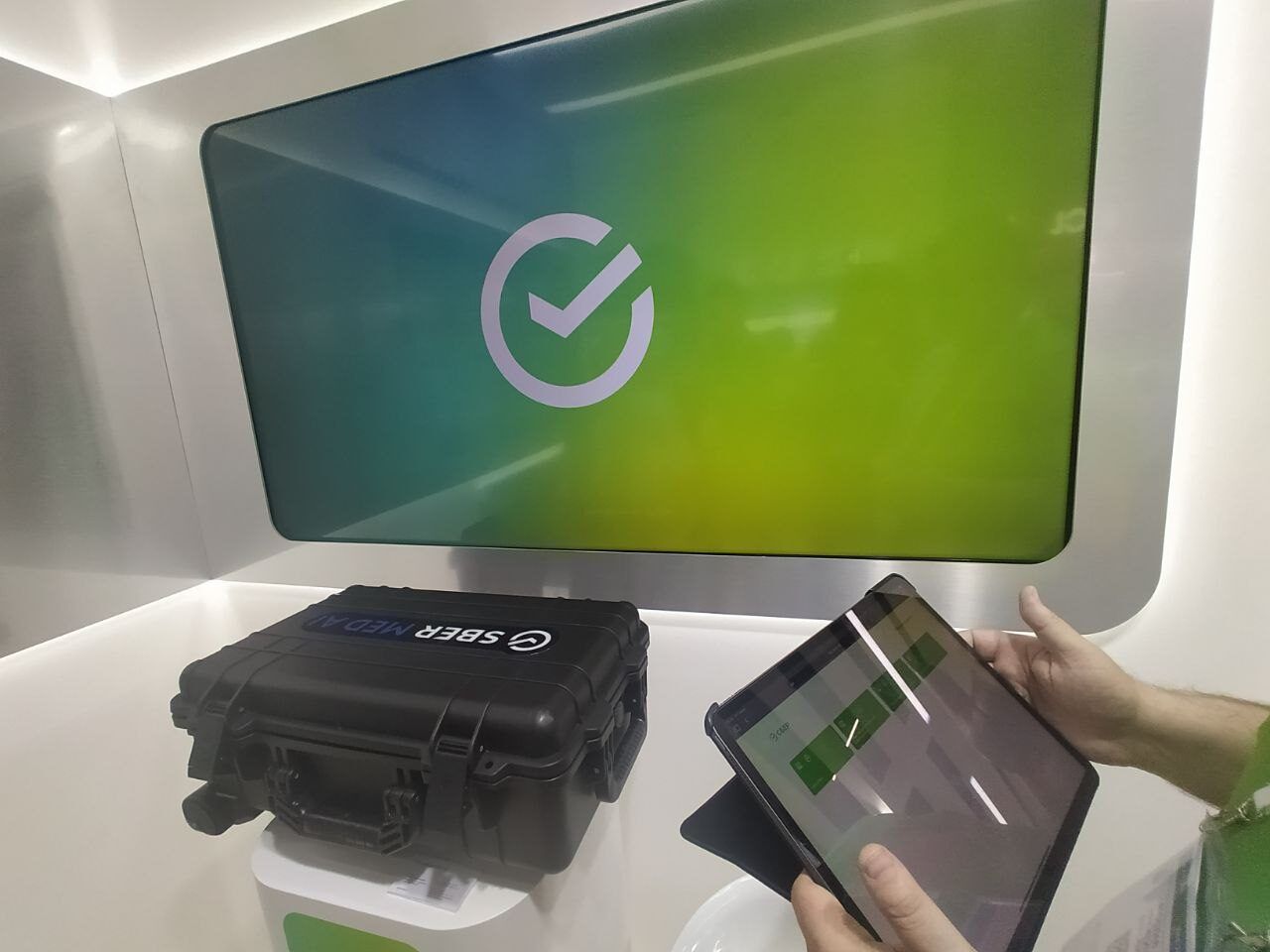
CIPR exhibition — Sberbank stand
Remote mode with an iPad, a laptop and a TV: the iPad works as a remote control for all the content and sends the right presentations and videos to the TV screen.
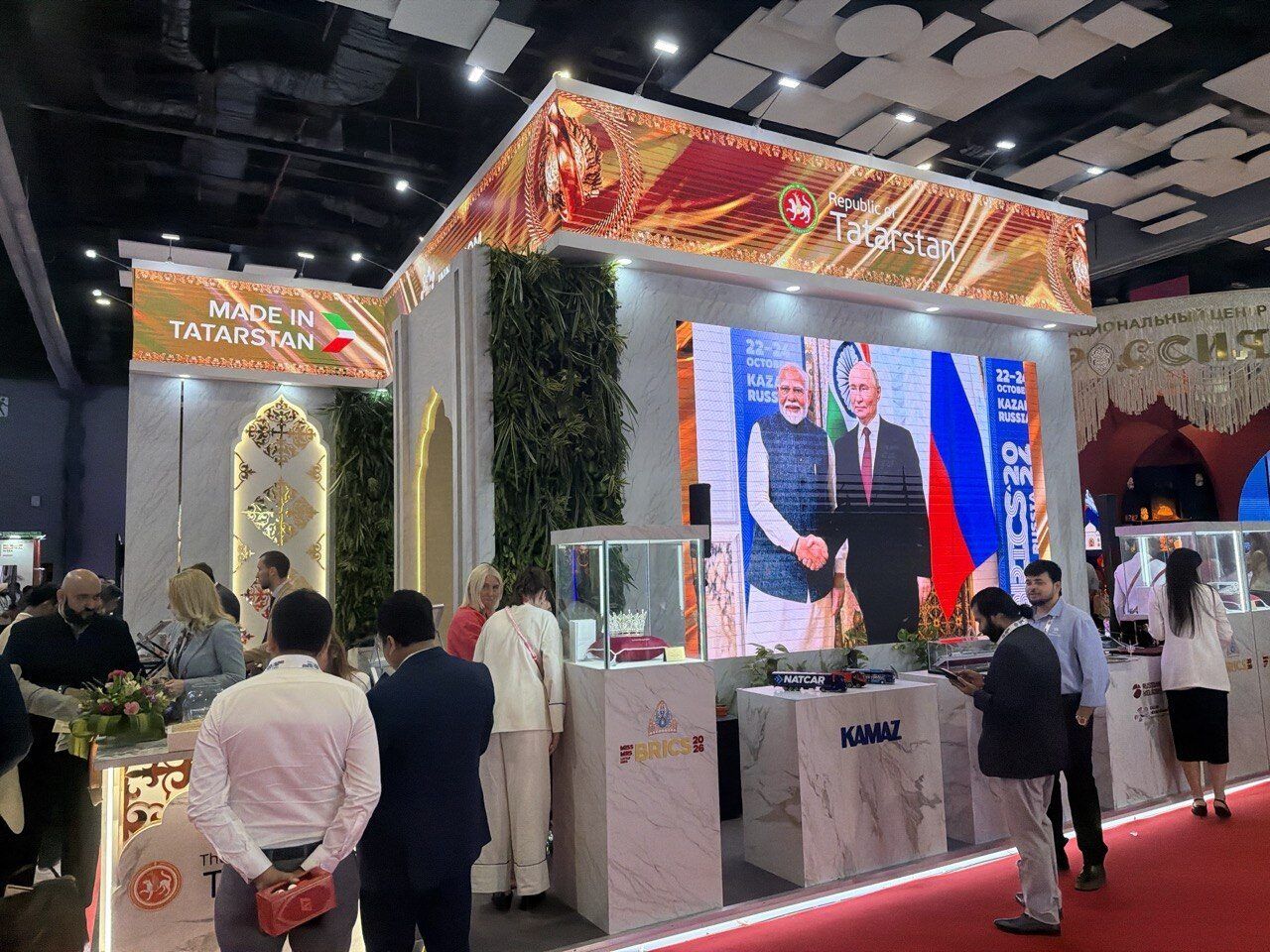
BRICS forum — LED screen of the Republic of Tatarstan
A program for a large LED screen: presentations, videos and static images are switched with a Logitech R400 / R800 presenter. While the stand was idle, screen saver mode played a queue of videos and presentations for visitors.
 Controlled with a Logitech R400 / R800 presenter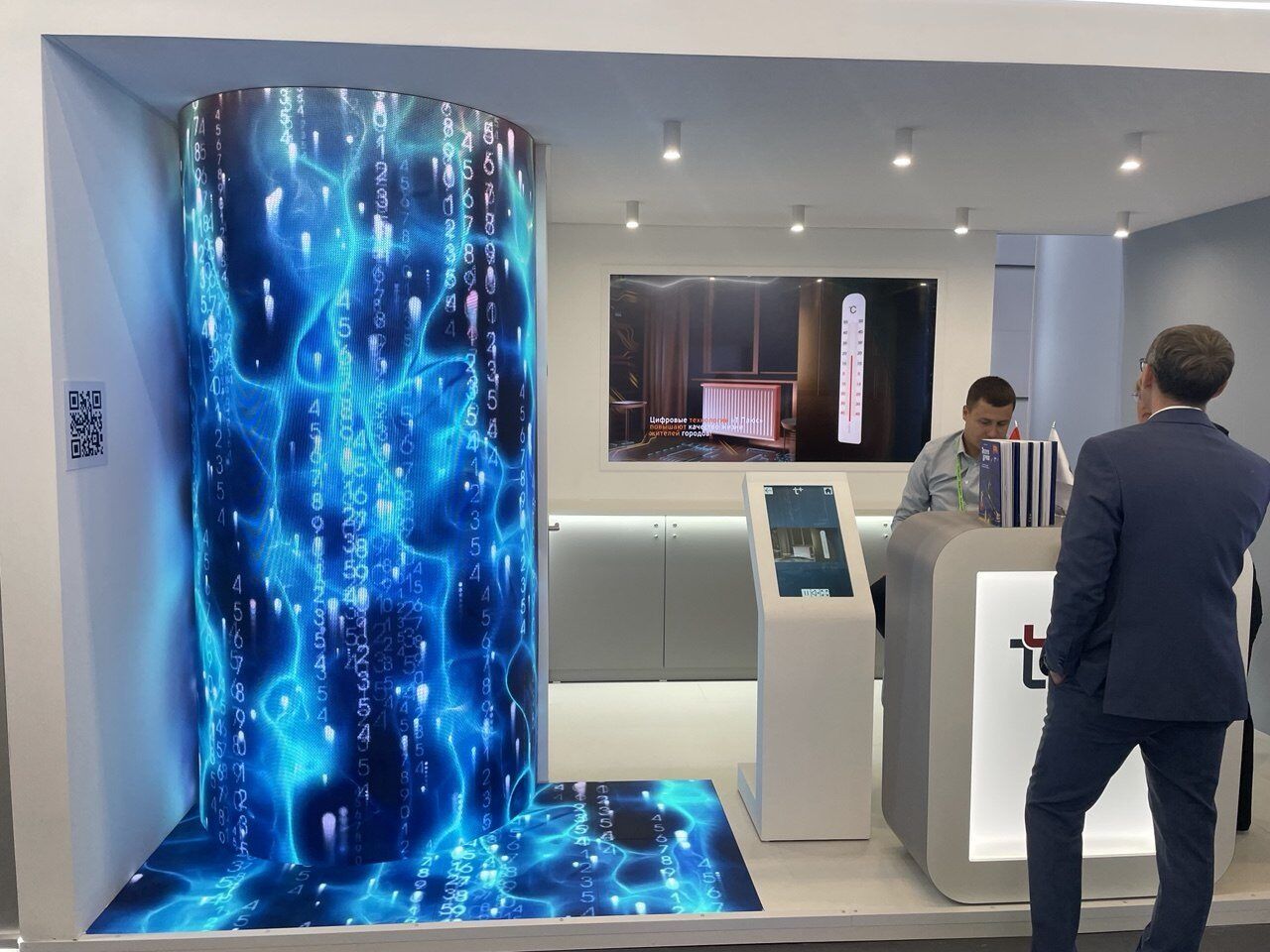
CIPR exhibition — T Plus stand
The client built a catalog of its own solutions in Remote mode, linking a touch screen and an LED screen into one synchronized setup. When nobody touched the screen, screen saver mode looped the company's brand videos on the LED screen.
Our partners
Our clients take full advantage of all the features our system offers.
Frequently Asked Questions
What equipment do I need to run ExpoScreen?
Any Windows or macOS device with a touch screen — a kiosk, panel or tablet. A regular screen also works: control the presentation with a phone or a clicker.
Does ExpoScreen work without internet?
Yes. The presentation is installed on your device and runs fully offline — internet is only needed to download the project and content updates.
How long does it take to build a presentation?
About an hour for the first project — no code or designers needed. Updating content later takes 15 minutes.
How do I control the presentation at the stand?
Three ways: directly on the touch screen, remotely from a phone or tablet, or with a clicker presenter.
Can I edit the project after it is built?
Yes. You can change content and rebuild the project at any time, as many times as you need.
Does ExpoScreen work on Android or iOS tablets?
The finished presentation is an app for Windows or macOS — it cannot be installed on Android or iOS. But you can control the presentation from any tablet or phone, and the builder itself runs in a browser.
Can I try ExpoScreen for free?
Yes. Building and previewing a project is free, and you can download a trial build with an ExpoScreen watermark to test it on your own screen. You pay only when you are ready to use it at your event.
Pricing
One price per project. Install the finished app on any number of screens.
Try it for free and pay only if you like the result
Lite
One screen, one event
per project, one-time
Start free- Touch mode
- Windows or macOS — one platform
- Media library up to 2 GB
- Content updates for 30 days after payment
- AI design: 1 theme generation, 1 image run
One-time payment — the app works forever.
Standard
Most chosenA stand with several screens
per project, one-time
Start free- Touch, remote and clicker modes
- Windows and macOS
- Media library up to 5 GB
- Unlimited content updates
- Screen saver and cloud import
- AI design: 5 theme generations, 3 image runs
- Install on any number of devices
One-time payment — the app works forever.
Pro
Agencies and regular exhibitors
per project, one-time
Start free- Everything in Standard
- 5 projects (brands) per year, then {extra} each
- Media library up to 20 GB
- Project templates
- AI design: 20 theme generations, 10 image runs
- Priority conversion and builds
- Telegram chat support
One project = one exhibitor. Pro covers five.
Building, previewing and a trial build with a watermark are free on every plan; up to {gb} GB of media for unpaid projects. Pay when the presentation is ready for the event. Upgrading later costs the difference.
Build your first stand presentation for free
Sign up, upload your materials and see the result on a touch screen. Pay only when the project is ready for the event.